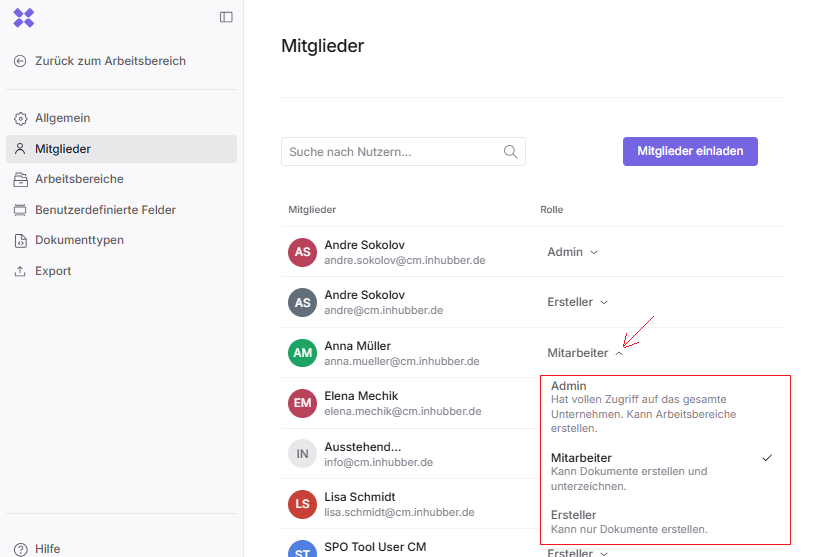
The admin has access to all documents created in Inhubber, either by themselves or by their colleagues. This means they also have access to documents to which they were not explicitly invited, as the admin represents the highest permission level. The admin has all the permissions of an employee, plus the additional ones listed here.
The administrator is the only person authorized to create workspaces and decide who will initially take on the manager role within each workspace.
Additionally, the administrator can manage members via Company settings and promote individual members to additional administrators or demote them to simple creators.
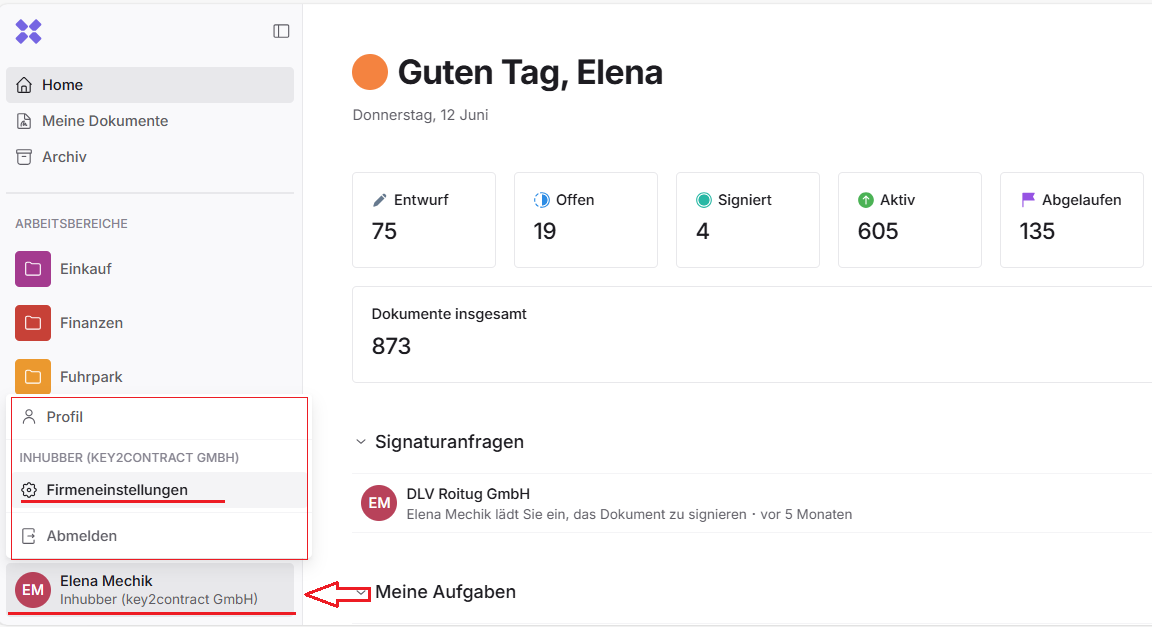
The first company admin is automatically the user who registers first with the company’s email address. Afterwards, the first admin can assign additional admins.