
Folders can be created by admin, maintainer and editor. When creating folders, these users can grant other workspace members access rights either to a single folder or to all subfolders contained within it.
Please note that you can only invite members to folders if they have previously registered with Inhubber and have already been added to the corresponding workspace by an admin or maintainer.
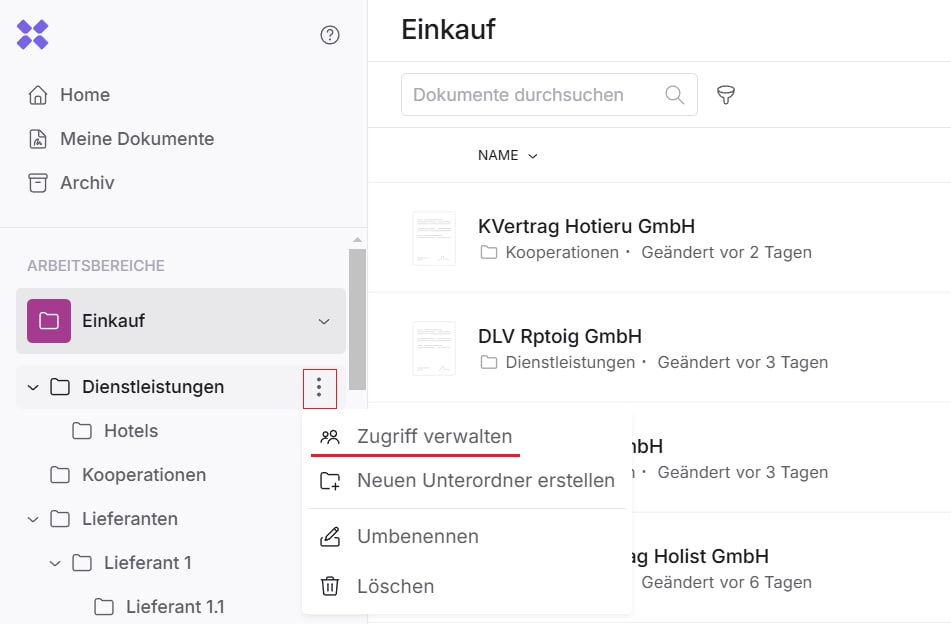
You can manage access permissions by clicking on the three dots next to the folder title and selecting “Manage access.”
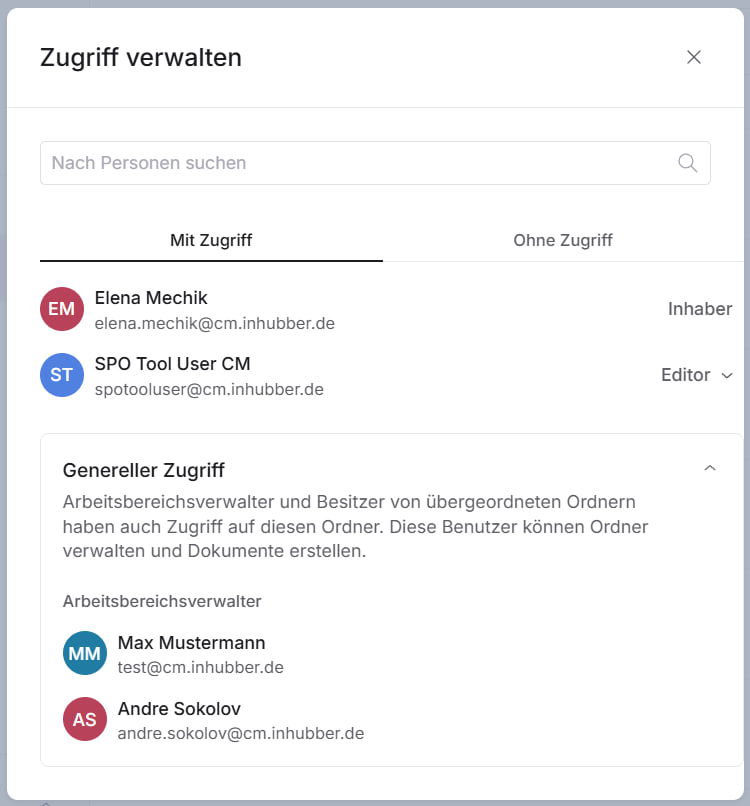
In the access management section, you will see an overview of all workspace members along with their respective permissions. Here you can see which users have access, no access, or general access to the folder. Workspace maintainer always have general access to the corresponding folder.
In this section, you can grant, revoke, or modify access rights for workspace members:
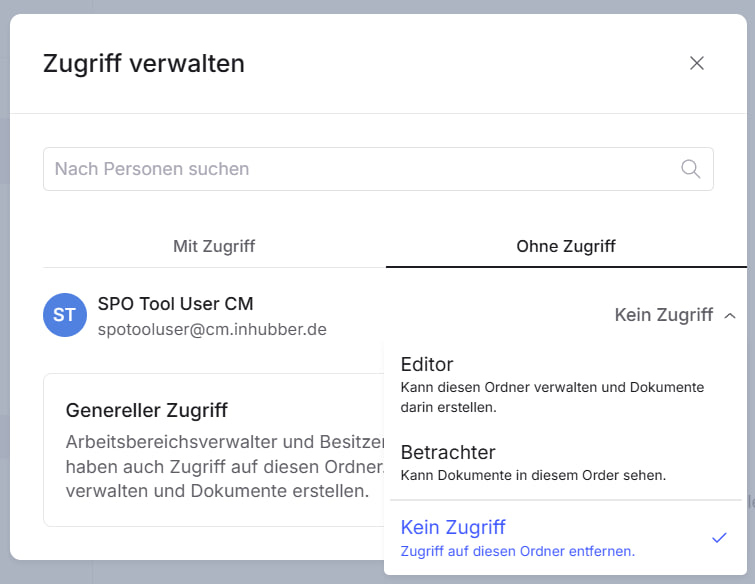
The following permission levels are available within workspaces: