
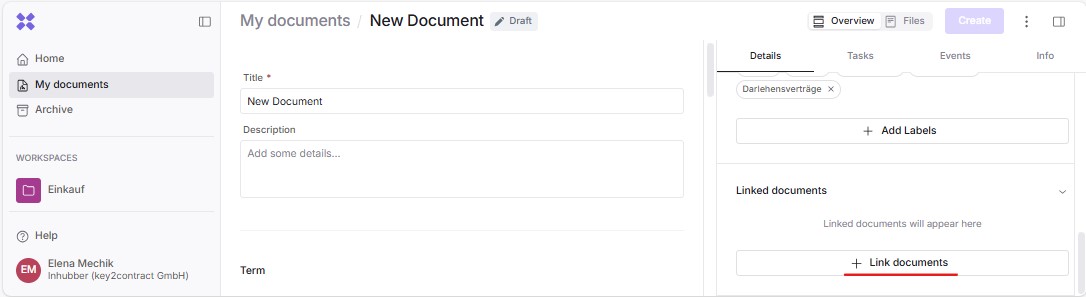
It is possible to link documents within your company, regardless of their storage location. This allows you to connect documents located in different workspaces and folders using various link types by clicking “Link documents” in the lower right corner:
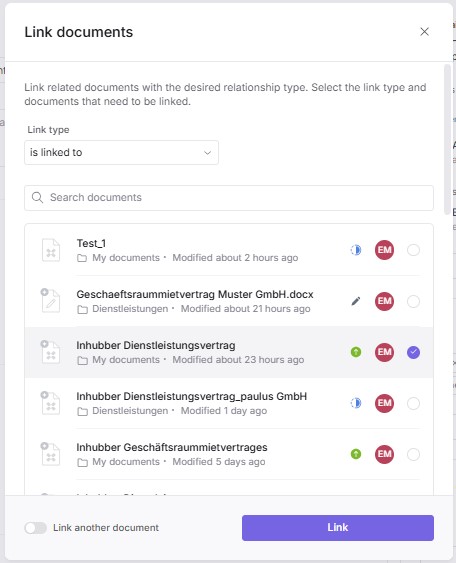
You can now define the type of link and select the corresponding documents:
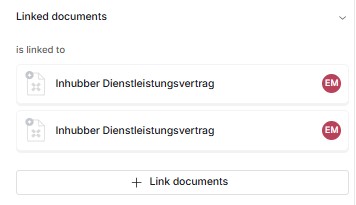
After clicking “Link”, an overview of all linked documents with their respective link types appears in the lower right corner:
By default, the following types of links are available:
-
is linked with
-
refers to
-
is referenced by
-
replaces
-
is replaced by
If you need additional link types, please contact Inhubber Support.