
Overview
The QES is a type of signature that is legally equivalent to a handwritten signature. To ensure the QES has the required legal validity, the identity of each signer must be verified.
The general process is as follows:
-
An employee creates a QES document and adds all files and signers to it. After the QES document is created, files and signers can no longer be added or changed.
-
Once the document creation is complete, the document owner provides the identification data for all signers.
-
The invitations are sent via email.
-
Each signer goes through the registration, identification, and signing process.
Creating a QES document
To sign documents on Inhubber with a QES, a QES document must first be created:
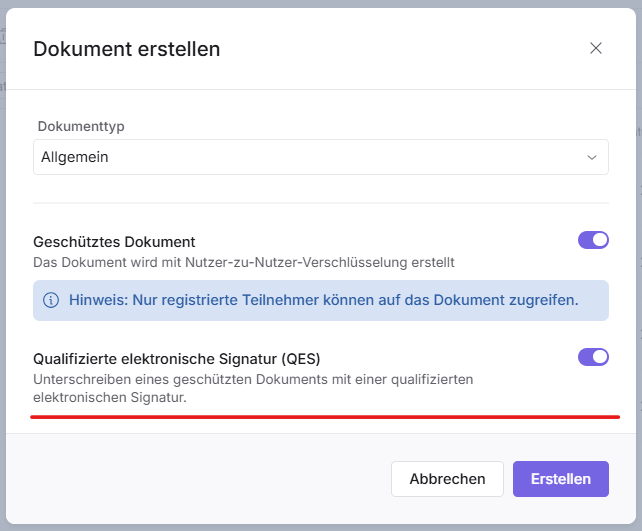
The procedure for creating the document is largely the same as for a standard document. The additional steps you need to consider are explained in the following chapters.
Invitation
Learn how to invite people to sign using the simple electronic signature on Inhubber hier.
When you click “Invite”, an additional dialog box appears where you can enter the information of the signing persons:
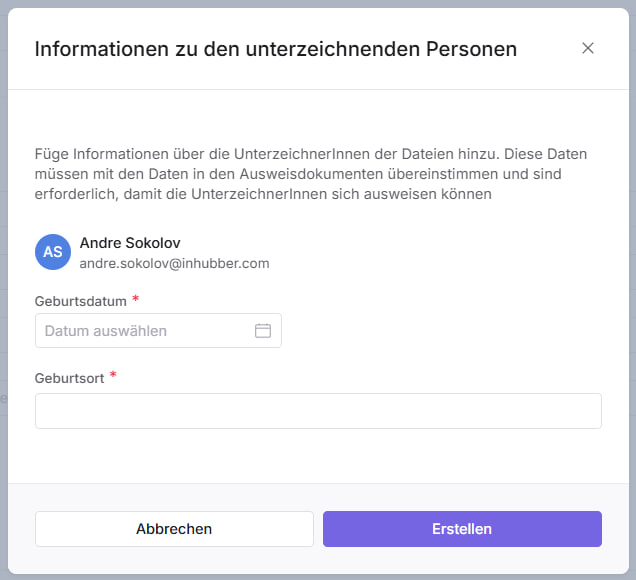
Here, to verify the identity of the signers, you must enter their personal data (date and place of birth) as stated in the signer’s identification document. Make sure to have this information ready and instruct the signer to use the same identification document during the signing process.
Identification and signing
Inhubber cooperates with a well-established regional company as a service provider for identification and QES (Qualified Electronic Signature). Please have your identification document ready during the process.
The signing process for the signer is as follows:
-
Register with Inhubber if you are not yet an Inhubber user.
-
Start the signing process in the same way as with the SES (Electronic Signature).
-
Each file is signed individually, just like with EES, but there is an extended procedure:
-
When you click “Sign,” you will be redirected to the QES provider’s website. Please follow their instructions.
-
After each successful identification and signing process in the QES provider’s mobile application, you will be redirected back to the Inhubber website to continue (if there are more documents to sign) or to finish the process.
-
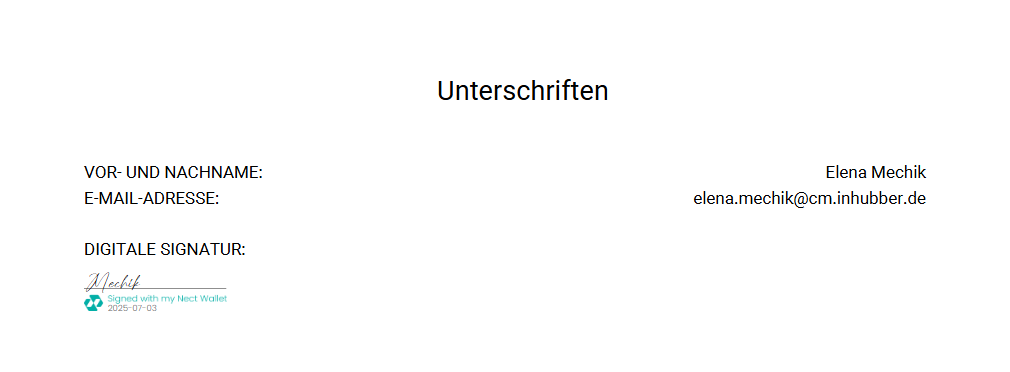
For all signed QES PDF files, one or more signature pages are added at the end of the document – each with a signature stamp for every signer.
For further details about the process and the provider’s documentation, please contact support@inhubber.com.