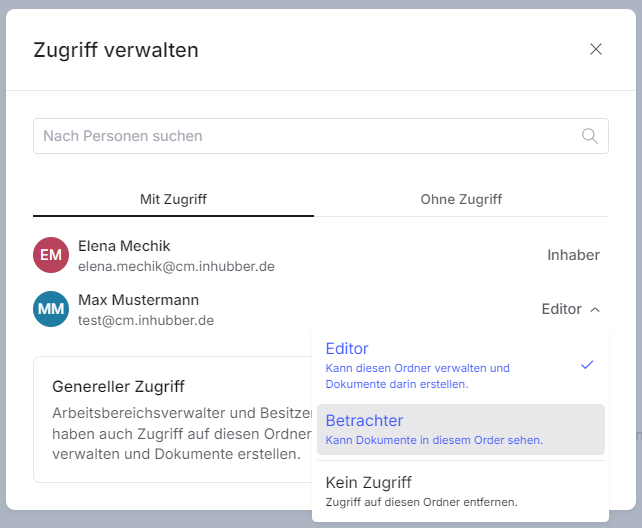
Viewers of individual folders receive read-only access to that specific folder. They cannot create documents or subfolders within the folder. They also cannot add members to the folder or assign access rights.
To assign the viewer role to a user, select the respective user in the access management section and assign them the viewer role:
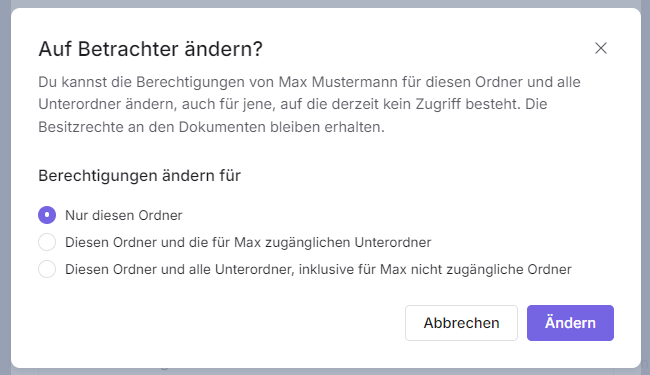
After that, you can choose whether the user should receive the viewer role only for this folder, for this folder and the subfolders already shared with them, or for this folder and all of its subfolders.
If you assign an employee the viewer permission, you can choose between three options regarding their access to the subfolders contained within the folder:
-
only in this folder
-
in this folder and in the subfolders already shared with them
-
in this folder and in all subfolders of the folder.