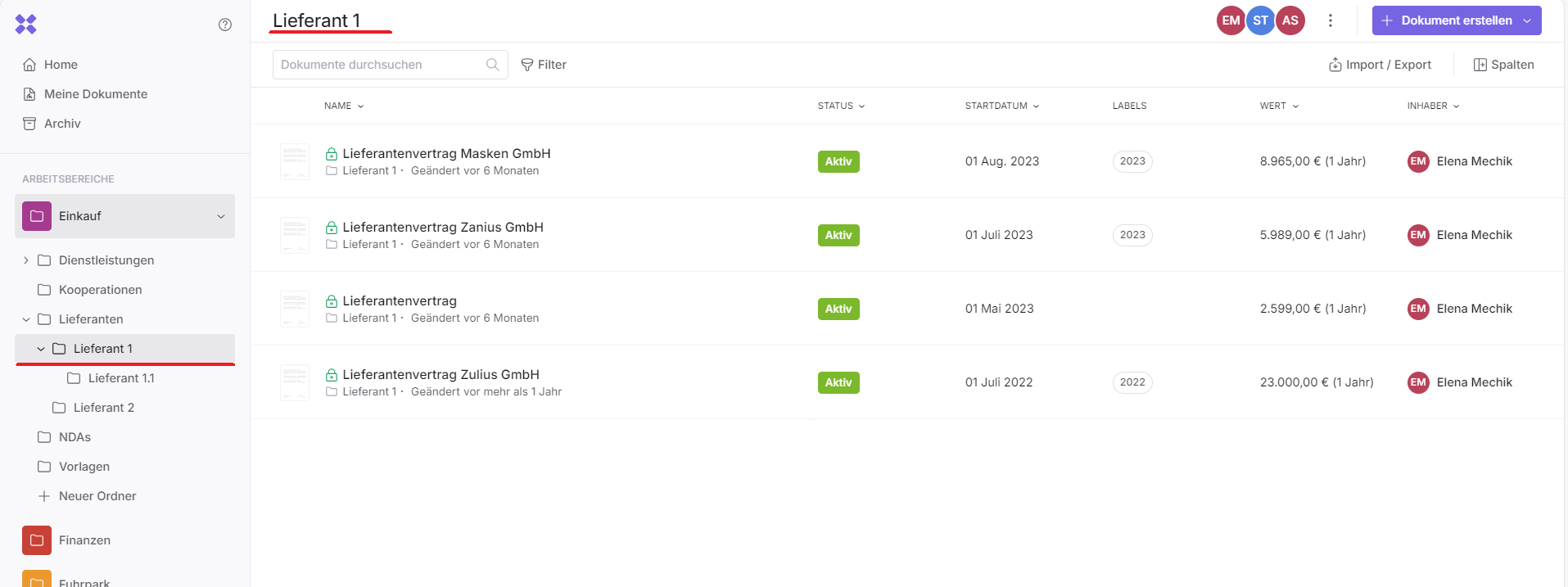
In a folder, you can see the documents that are stored directly inside it.
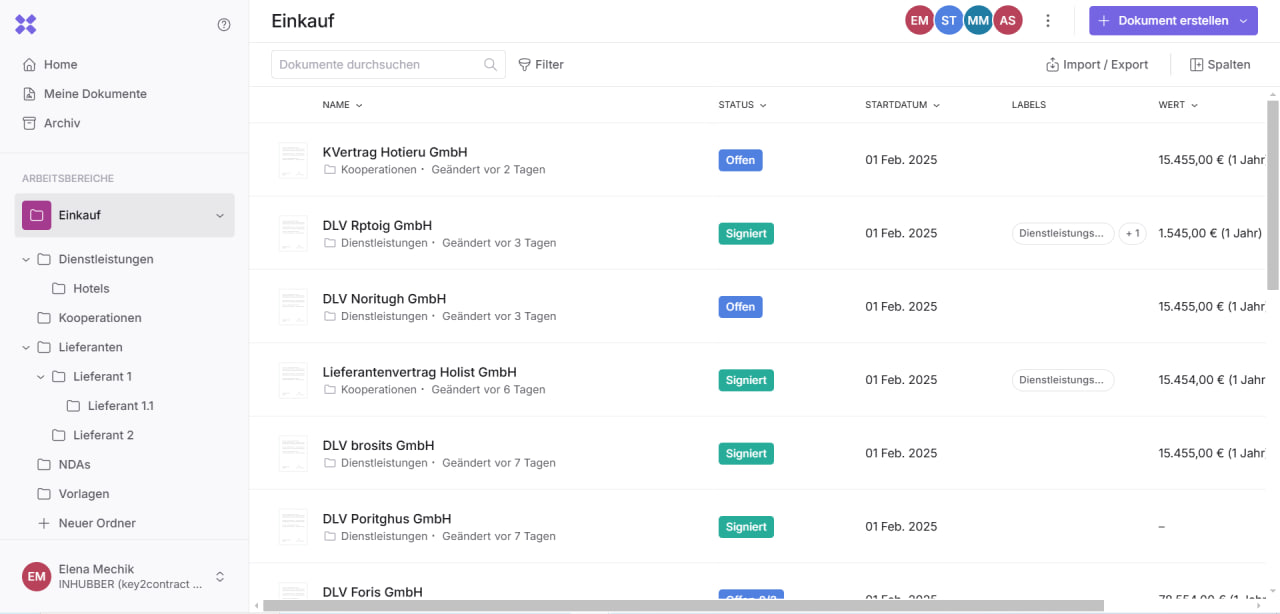
Admin, maintainer, and editor can create folders and subfolders. There is no limitation on the depth of these sub-levels.
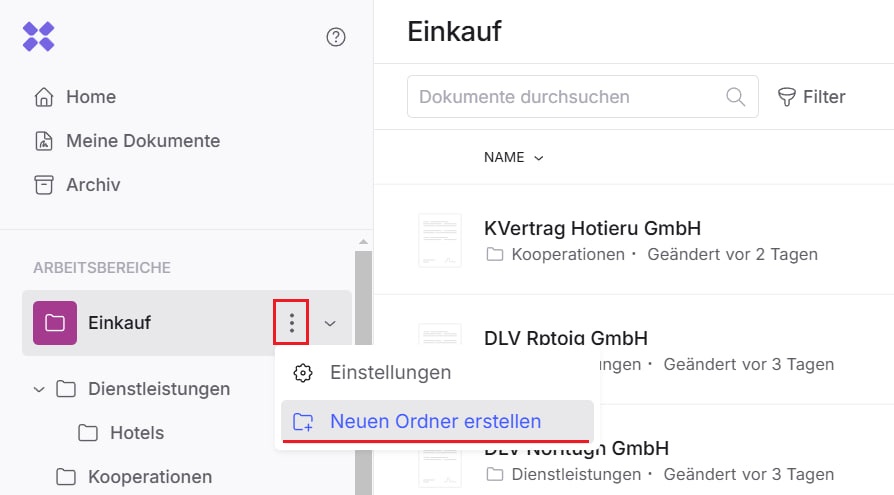
If you have sufficient permissions (workspace permissions or folder permissions), you can create a folder or subfolder. To do this, click on the three dots next to the title of the workspace or folder:
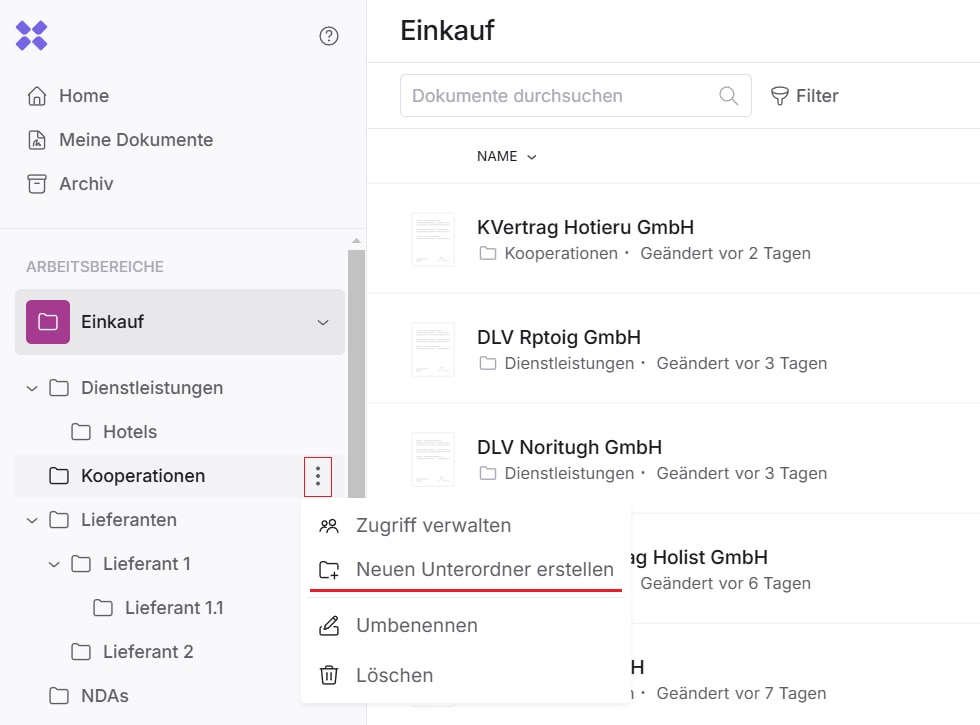
With folders and subfolders, you can create the structure you need for your documents and, for example, set up the same arrangement you use on your local drive.
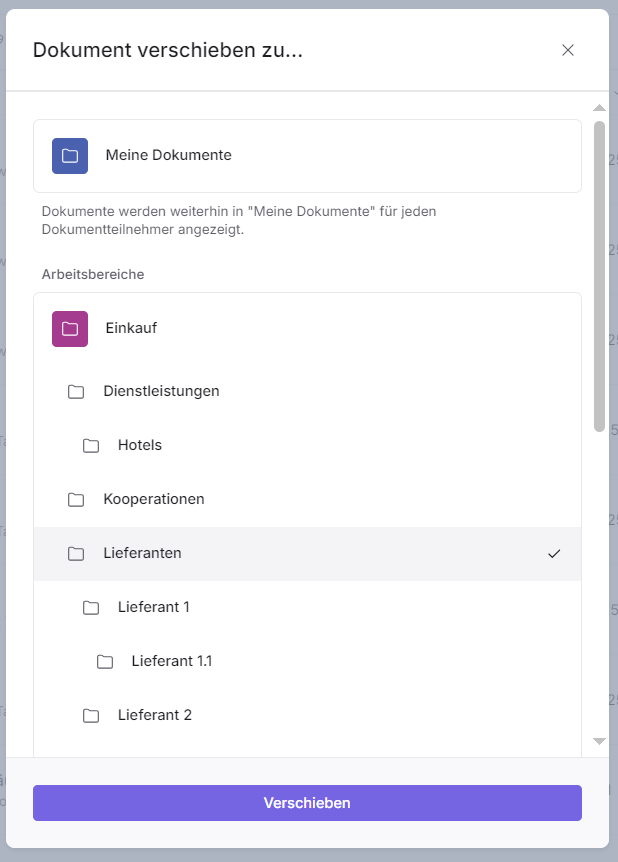
If a document is located in the wrong folder, you can move it to the correct one. To do this, click on the three dots next to the document name and select “Move to.”
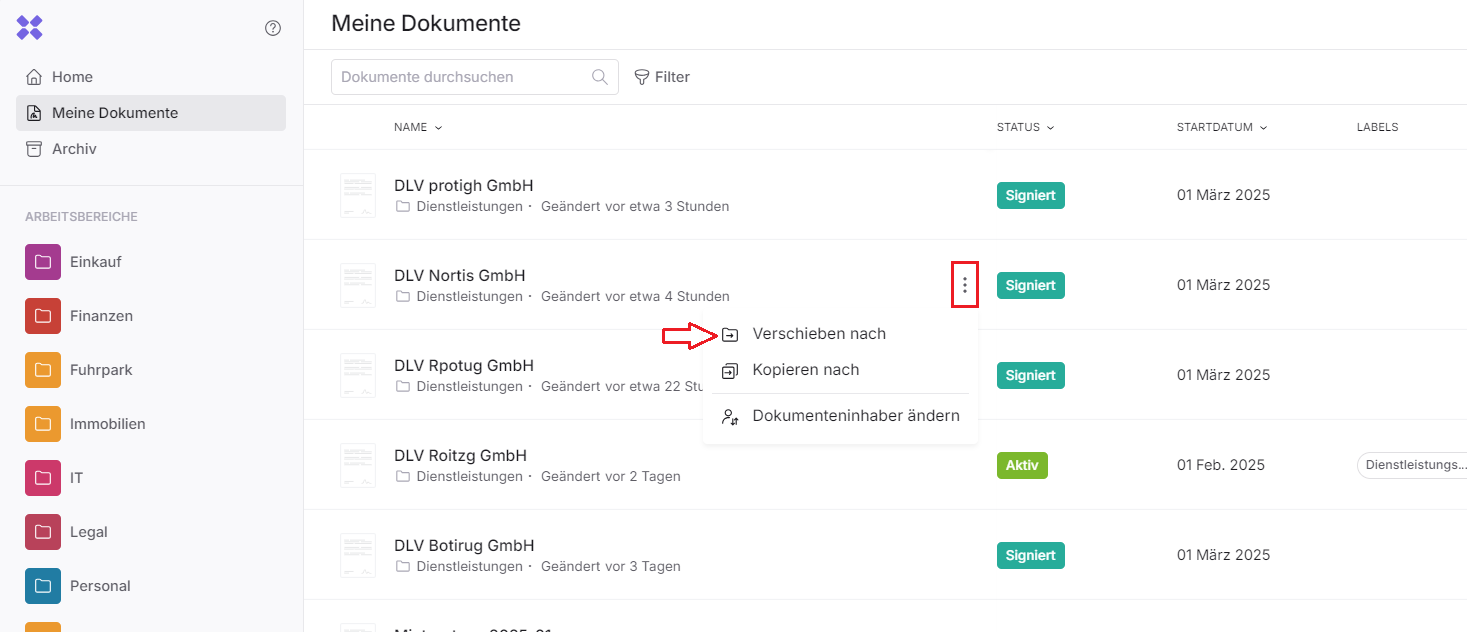
In the dialog window that opens, select the desired folder and click the “Move” button.