
Workspaces are created by main admins. Admins automatically receive the manager role (maintainer) within every new workspace by default. Main admins can also assign the manager role to other users within individual workspaces by clicking on the three dots next to the workspace title and then selecting “Settings”:
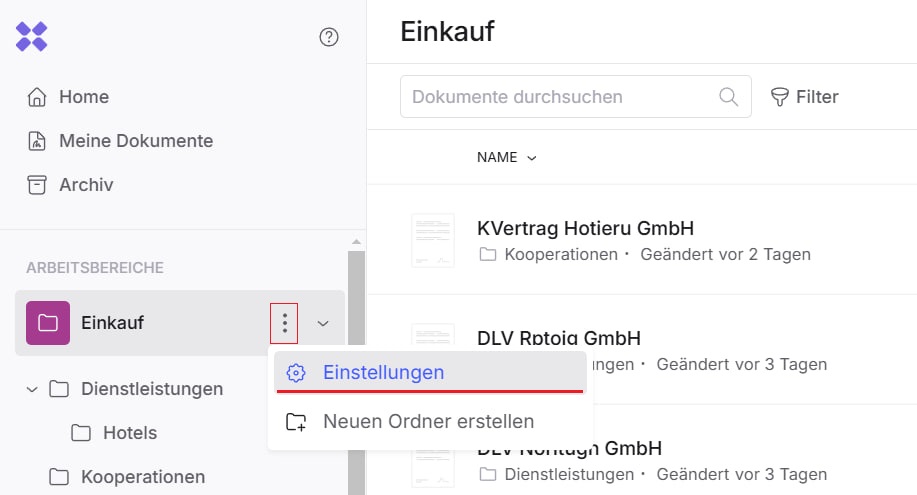
The workspace settings section will open:
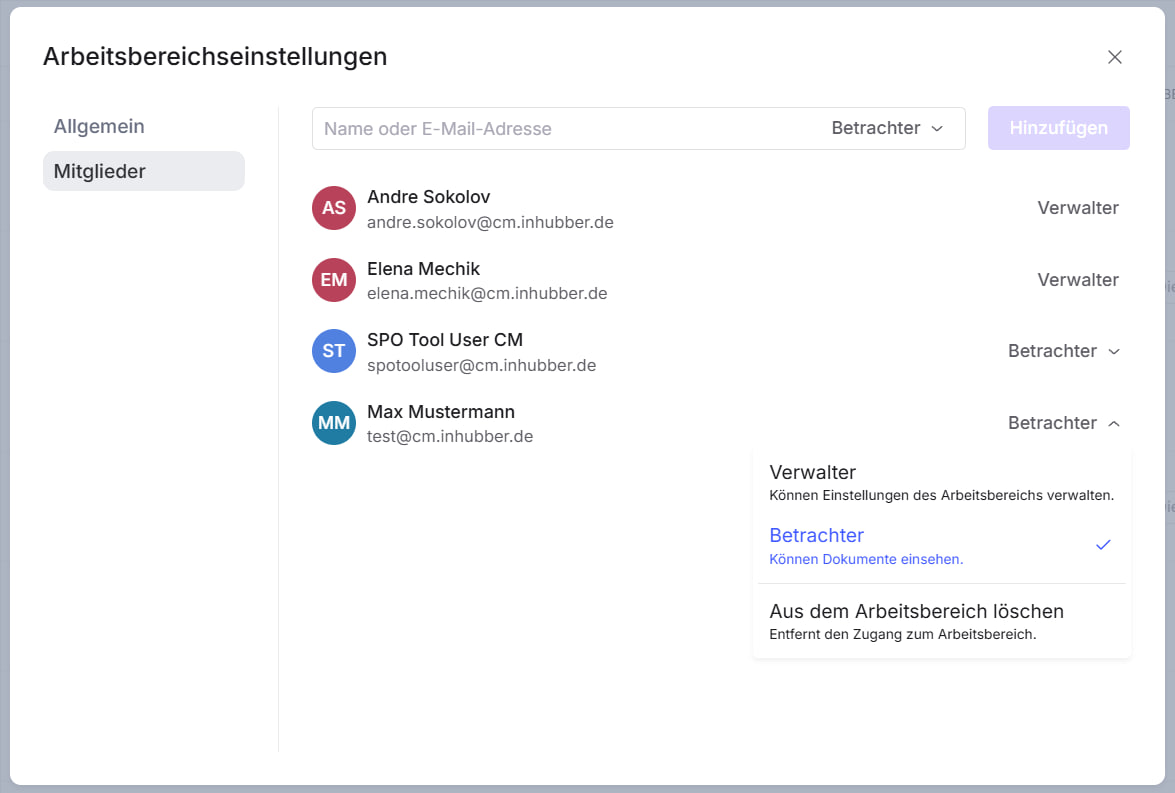
In this section, as a workspace manager, you can invite already registered users to the workspace and assign the appropriate permissions to them. The following permission levels are available within workspaces: